How to Turn Every Blog Post into a High-Converting Landing Page

SEO, Content and Conversion

How to Turn Every Blog Post into a High-Converting Landing Page

A practical guide to making blog content more useful, easier to navigate and better at helping readers take the next step, without turning every article into an aggressive sales page.

Practical guide  ·  Design and SEO  ·  Publishing checklist

Keep the reader's goal first

A conversion-focused article should help readers make a useful next move, not pressure them into an unrelated action.

A blog post can attract search traffic, answer a question and introduce readers to your website. But publishing an article is only part of the job. If the page is difficult to navigate, gives readers no clear next step or makes its main offer hard to find, much of its potential can be lost.

One way to improve the value of existing content is to treat each article as a focused landing page. That does not mean removing the editorial feel or filling the page with sales messages. It means aligning the article's purpose, layout and calls to action with what the reader came to do.

What Is a Blog Landing Page?

A blog landing page is an article designed to meet a specific reader need while guiding visitors towards a relevant next step. That step might be reading a related guide, downloading a resource, subscribing to a newsletter, trying a tool or enquiring about a service.

Traditional landing pages often focus on one campaign or offer. A blog article usually provides more explanation and context. The approaches can work together: the article answers the reader's question, while a relevant action helps the reader continue.

Example

Article: How to Improve Website Loading Speed

Relevant next step: A downloadable site-speed checklist, a related performance guide or a clearly labelled website audit enquiry.

The next step fits the topic, so it feels like a continuation of the article rather than an interruption.

Choose One Clear Goal for Each Article

Before changing the layout or adding a call to action, decide what the article should help readers do. A page can contain several useful links, but it should have a clear primary purpose.

  • Educate: Help readers understand a topic or complete a task.
  • Build an audience: Encourage relevant visitors to subscribe to updates.
  • Generate enquiries: Introduce a relevant service after explaining the problem it solves.
  • Support a purchase decision: Help readers compare options with balanced information.
  • Guide readers to related content: Lead them to the next article or resource in a topic cluster.

Match the action to the article's subject and the reader's likely stage of decision-making. Someone reading a beginner's guide may not be ready to request a quote, but might appreciate a checklist or a more detailed tutorial.

Research the Reader's Intent Before You Redesign

A landing-page approach only works when the page satisfies the reason someone arrived. Review the questions your audience asks, the language they use and what the current article already does well.

  • Review queries and page performance in Google Search Console.
  • Explore topic interest with Google Trends.
  • Read relevant customer questions, support requests and comments, where available.
  • Compare competing results to identify useful questions or formats the article does not cover.
  • Check whether the title, introduction and content match the promise that brought visitors to the page.

Use research to improve the page, not to copy competitors or add irrelevant sections. Google's guidance on helpful, reliable, people-first content is a useful reference when reviewing whether an article provides genuine value.

Structure the Article Around the Reader's Journey

Readers should be able to understand the page's purpose, find the information they need and recognise the next step without having to work it out themselves.

  • Start with a direct introductionExplain the question or problem and set expectations for the article.
  • Use descriptive headingsBreak the topic into logical sections readers can scan and revisit.
  • Answer the main question earlyGive readers useful information before asking them to take action.
  • Place the next step naturallyIntroduce a relevant resource when the surrounding content makes it useful.

The Google SEO Starter Guide is a useful reference for making pages easier for search engines and people to understand. Clear organisation also supports readers using assistive technologies when headings follow a meaningful hierarchy.

Build Trust Before Asking for a Conversion

A conversion-focused page still needs to earn the reader's confidence. Explain important claims, keep promises realistic and make it easy to understand who is behind the content or offer.

  • Check factual claims, statistics, dates and technical advice.
  • Link to official documentation, original research or reputable sources when relevant.
  • Use examples, screenshots or original observations where they genuinely help.
  • Explain limitations, requirements, pricing or conditions that could affect a decision.
  • Keep author details and business information accurate.
  • Avoid fabricated testimonials, misleading urgency and exaggerated outcomes.

External links should help readers verify a claim or explore the subject further. They should not be added simply to make a page appear authoritative.

Make the Design Easy to Read and Navigate

Visual design should make the article easier to use. A page can look polished and still perform poorly if the text is cramped, contrast is weak or controls are difficult to find.

Focus on readability

  • Use comfortable body text size and line spacing.
  • Keep the reading column at a manageable width on larger screens.
  • Use headings, lists, tables and callout panels when they clarify information.
  • Keep paragraphs focused, while allowing explanations to be as long as needed.
  • Use images, diagrams and screenshots when they add information.

Design for accessibility

Check text contrast, keyboard navigation, focus states, image alternative text and form labels. Avoid relying on colour alone to communicate important information. The W3C Web Accessibility Initiative and its Web Content Accessibility Guidelines provide recognised guidance.

Keep the design consistent with the rest of your website. A blog should still feel like part of the site, not like an unrelated advert that happens to use the same logo.

Use Clear, Relevant Calls to Action

A call to action (CTA) tells readers what they can do next. The wording should describe the action and its value without promising more than the destination delivers.

CTA examples

Vague: Click here

Clearer: Download the website launch checklist

Vague: Learn more

Clearer: Compare the website hosting options

Place a CTA where it makes sense in the reader's journey. A relevant link near the introduction can help someone who already knows what they need, while a CTA after a detailed explanation may suit someone who needs more context first.

One primary CTA is often easier to understand than several competing buttons. Supporting links can still be useful, provided they do not distract from the page's main purpose. Test wording and placement rather than assuming one design works for every article.

Add Interactive Features Only When They Help

Interactive elements can make an article more useful, but they should solve a problem rather than exist as decoration.

  • Downloadable checklists: Give readers a practical summary they can use away from the page.
  • Calculators: Help readers estimate a result when inputs and assumptions are clear.
  • Quizzes or assessments: Help visitors identify a suitable next step when the result is meaningful.
  • Expandable FAQs: Keep supporting answers available without making the page unnecessarily long.
  • Progress indicators: Show reading progress on longer guides, provided the indicator is not distracting.
  • Shareable quotes or diagrams: Make a useful idea easier to save or share while preserving context and attribution.

Do not add a calculator, quiz or form just because it might increase engagement. Each feature should make the article more helpful or make the next step easier.

Keep the Page Fast and Mobile-Friendly

A slow or awkward page can interrupt readers before they reach the content or CTA. Review performance on mobile as well as desktop, especially if many visitors use phones.

  • Resize and compress images appropriately.
  • Avoid unnecessary scripts, animations and third-party widgets.
  • Use responsive layouts and make buttons and links easy to tap.
  • Prevent layout shifts by specifying image dimensions and reserving space for content that loads later.
  • Check that forms and embedded tools work on smaller screens.

Use PageSpeed Insights to review performance and field data where available. Google's Web Vitals guidance explains user-experience metrics, while the Chrome User Experience Report provides information about real-world user experience data.

Performance is an ongoing process, not a one-time score. Fix issues that materially affect the experience and test again after significant changes.

Track Conversions and Improve the Page

You cannot reliably improve a landing page if you do not know what visitors do on it. Decide what counts as a meaningful conversion before configuring analytics.

Depending on the article's purpose, useful events might include:

  • Submitting a contact or enquiry form.
  • Signing up for a newsletter.
  • Downloading a resource.
  • Clicking through to a product or service page.
  • Completing a relevant tool or assessment.

In Google Analytics 4, configure relevant events and mark the actions that matter to your business as key events. Check that tracking works correctly and respects privacy and consent requirements.

Review the results in context

Look at more than clicks alone. A CTA may receive many clicks but lead to few completed sign-ups. Review the full journey, including form completion, lead quality and whether visitors find the information they expected.

Test one meaningful change at a time where practical, such as CTA wording, placement or offer clarity. Google Optimize was discontinued in 2023, so avoid old tutorials that depend on it; choose a currently supported testing method appropriate to your setup and traffic.

Internal links help readers move between relevant pages and help search engines discover relationships between them. Link to related guides, definitions, comparisons or service pages when they genuinely add value.

External links can provide evidence, official instructions or further reading. Use descriptive anchor text so readers have a reasonable idea of what they will find before clicking.

  • Link to the next logical resource, not every page on the site.
  • Check that important links work and lead to the intended destination.
  • Avoid vague anchor text when a more descriptive phrase fits naturally.
  • Review older links when refreshing an article.
  • Do not add links purely to manipulate rankings or distract readers.

For ecommerce content, product cards or comparison tables can be useful when they answer a genuine decision-making need. Clearly disclose affiliate relationships where applicable and make sure product claims are accurate.

Refresh Useful Content and Promote It Responsibly

Older articles can become more useful when information, screenshots, examples, links and calls to action are reviewed. Start with pages that attract relevant traffic, support an important topic or contain information that may have changed.

  • Check whether the article still answers the reader's question.
  • Update outdated facts, links, screenshots and examples.
  • Remove repetition and improve unclear sections.
  • Make the CTA relevant to the current article and offer.
  • Check mobile layout, accessibility and analytics events.

Promote updated content through channels that suit your audience, such as a relevant newsletter, social post or internal link from another article. Avoid sending unrelated traffic simply to inflate page views. The aim is to reach people who can genuinely benefit from the content.

Blog Landing Page Checklist

Use this review before publishing or updating an article. Tick each item as you complete it.

Frequently Asked Questions

Not exactly. A blog post usually focuses on explaining a topic, while a landing page often focuses on a specific campaign or action. A blog post can still guide readers towards a relevant next step without losing its editorial purpose.

A relevant next step can be useful, but it does not need to be a sales CTA. It might be a related article, checklist or newsletter sign-up. Choose an action that fits the topic and the reader's needs.

Place it where it naturally supports the reader's journey. Some readers may benefit from an early link, while others need the explanation first. Test placements using meaningful outcomes rather than clicks alone.

No. A calculator, quiz or downloadable resource can help when it solves a real problem, but unnecessary features can add friction, slow the page or distract readers.

Track the action that matches the page's goal, such as a completed form, sign-up or resource download. Also review the journey, lead quality and whether the page satisfies the visitor's intent.

Often, yes. Start with focused improvements to the article's structure, CTA clarity, internal links, mobile usability and tracking. A larger redesign may be useful later, but it is not always the first step.

No. There is no layout that guarantees search rankings or conversions. Focus on helpful content, accessibility, performance and a clear user journey, then measure how the page performs for its intended audience.

Wrapping up

Make the next step useful. A strong blog landing page begins with a clear answer to the reader's question. Improve the structure, make the page comfortable to use, provide a relevant next step and measure whether it helps visitors achieve their goal. The purpose is not to turn every article into a sales pitch; it is to make every useful article work harder for its readers.

Keep improving your content

Explore more practical guides on the Interesting to Read blog to improve your writing, SEO and website content.

Tagged in

Written by

Keshera Wijeyesekera

I write Interesting to Read, a blog on all kinds of topics worth your time. Outside of the blog, I work in SEO and digital marketing.
More about me  ·  LinkedIn  ·  Get in touch

What Is Blog Writing? Meaning, Purpose and Examples

Writing and Content Basics

What Is Blog Writing? Meaning, Purpose and Examples

Understand what blog writing means, why people publish blog posts, the main types of blog content and the basics of writing an article that readers can use.

Beginner-friendly guide  ·  Examples included  ·  Practical writing steps

Start with the reader

A useful blog post answers a question, explains an idea or helps someone take a practical next step.

Blog writing is the process of creating articles for publication on a blog or website. A blog post can explain a subject, share an experience, answer a common question or offer advice on a particular topic. The aim is to communicate information in a format that readers can find, follow and understand.

Blog writing is used by individuals, businesses, organisations and publishers. The style can range from personal and conversational to technical and professional, depending on the subject and the people the article is intended to reach.

What Is Blog Writing?

Blog writing means preparing written content for a blog, usually as an individual article or post focused on a specific topic. Posts are often displayed in reverse chronological order on a blog, although many websites also organise articles into categories and evergreen resource pages.

A blog post may be short and straightforward or detailed and research-based. For example, it could explain how to fix a common website problem, compare two products, summarise an industry development or share lessons learned from a personal experience.

Simple example

Topic: How to Make a Website Load Faster

What the blog post does: Explains why page speed matters, identifies common causes of slow loading and gives readers practical steps they can try.

In other words, blog writing is not defined by one particular tone or length. What matters is that the content has a clear subject and gives its intended readers something worthwhile.

What Is the Purpose of Blog Writing?

The purpose depends on the person or organisation publishing the article. Some blogs are mainly for sharing ideas, while others help readers solve problems or learn about a service.

  • To inform: Explain a topic, event, process or new development.
  • To teach: Break a task into steps or help readers develop a skill.
  • To share experience: Describe a personal project, opinion or lesson learned.
  • To answer questions: Provide clear information about a subject people are searching for.
  • To build an audience: Publish useful content that gives readers a reason to return.
  • To support a business: Explain customer problems, demonstrate expertise and help potential customers make informed decisions.

A single article can serve more than one purpose. A practical guide on choosing a website platform, for instance, can educate readers while helping a web design business demonstrate its knowledge.

What Are the Different Types of Blog Writing?

Blog posts come in several common formats. The best choice depends on the subject, the reader's question and the information you want to communicate.

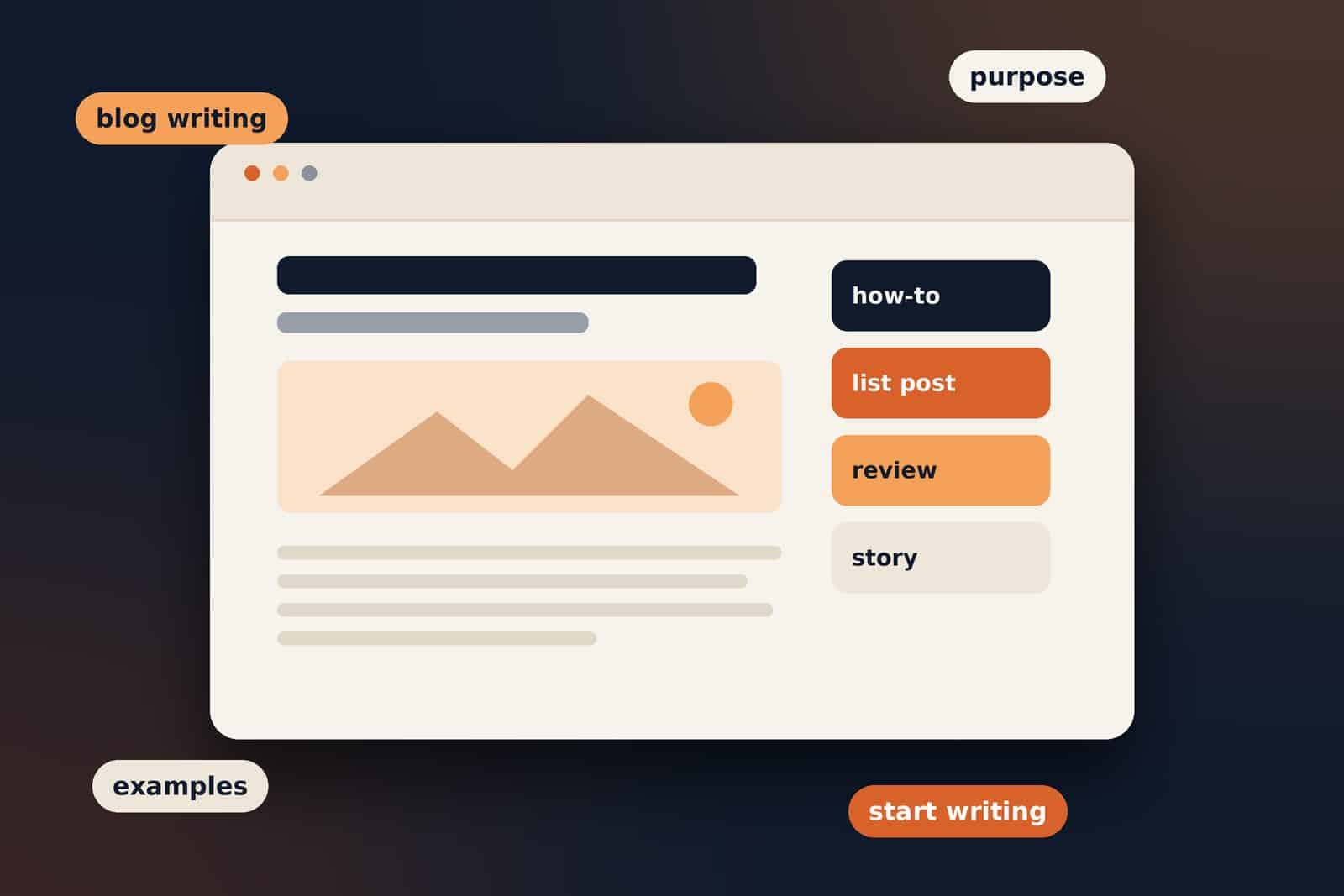
  • How-to guidesExplain how to complete a task in a sequence of manageable steps.
  • Informational articlesDefine a term or explain a topic, concept or process.
  • List postsOrganise related ideas, recommendations or tips into a scannable list.
  • Reviews and comparisonsDescribe features, differences, benefits and limitations to help readers assess options.
  • Opinion and commentaryPresent a viewpoint supported by reasoning, examples or relevant evidence.
  • News and updatesCover recent developments, announcements or changes in a particular field.
  • Case studiesExplain a real project or situation, including the approach taken and the outcome where known.
  • Personal storiesShare experiences, reflections or lessons from everyday life and work.

These formats can overlap. A guide might include a comparison table, while a personal story might also offer advice. Choose the structure that makes the information easiest to understand.

What Makes Blog Writing Different from Other Types of Writing?

Blog writing shares techniques with journalism, technical writing, copywriting and academic writing, but it often combines accessible explanations with a structure that is easy to scan online.

  • It is usually organised around a focused topic or question. Readers should be able to tell what the article covers from its title and introduction.
  • It is designed for online reading. Descriptive headings, short-to-moderate paragraphs, lists and relevant links can help readers navigate the page.
  • It can use a flexible tone. A personal blog may sound informal, while a professional guide may need a more measured style.
  • It may be optimised for search. Authors can use clear titles and relevant wording to help people discover the content, without sacrificing usefulness or natural language.

Not every blog post needs to be casual, brief or written for search engines. The format should suit the topic and the reader rather than follow a fixed formula.

What Are the Main Elements of a Blog Post?

Many blog posts use a familiar structure. The exact arrangement can vary, but these elements help readers understand the topic and move through the article.

Title or headline

The title tells readers what the post is about. It should be specific and reflect what the article actually covers.

Introduction

The introduction establishes the subject, explains why it matters and sets expectations for what follows. It should reach the point without unnecessary background.

Main body

The body develops the topic through sections, explanations, examples, evidence or practical steps. Headings help divide the article into logical parts.

Conclusion or next step

The ending can summarise the key idea, offer a useful next step or direct readers to a relevant resource. Some articles can finish naturally once the question has been answered.

Links and supporting material

Relevant internal links can guide readers to related articles on the same site. External links can point to reliable references, original research or official guidance where needed.

How Do You Write a Good Blog Post?

You do not need a complicated process to get started. Work through these steps, then adapt them to the subject and purpose of the article.

  1. Choose a focused topic.
    Decide what you want to explain and who the article is for. A specific topic is easier to plan than a broad subject.
  2. Understand the reader's question.
    Think about what the reader already knows, what they need to learn and what a useful answer should include.
  3. Plan the structure.
    List the main points in a logical order. Use headings to organise the article before drafting the full text.
  4. Write a direct introduction.
    Introduce the subject and explain what the post will help the reader understand or do.
  5. Explain the main points clearly.
    Use simple, accurate language. Add examples when they make an unfamiliar idea easier to grasp.
  6. Review facts and sources.
    Check claims, dates, figures and links. Distinguish verified facts from opinion or personal experience.
  7. Edit before publishing.
    Remove repetition, improve unclear sentences and check headings, spelling, links and mobile readability.

For more practical advice, read Blog Writing Rules: How to Write Clear, Useful and Engaging Blog Posts.

What Is an Example of Blog Writing?

Imagine a blog about web design publishing an article called How to Choose a Website Colour Scheme. The article might explain how colour affects the appearance of a website, describe how to select a small group of complementary colours and show examples of palettes used for different types of sites.

Example opening paragraph

Choosing colours for a website can feel difficult when there are so many options. A simple starting point is to select one main colour, choose a supporting colour and use a neutral shade for backgrounds. This gives the design a consistent base before you refine the details.

This is an example of blog writing because it focuses on one topic, introduces a practical problem and begins to offer information the reader can use. The rest of the post could expand on the process with examples, accessibility considerations and common mistakes to avoid.

Other examples include a travel blog describing a local walking route, a technology blog explaining a software feature or a personal blog reflecting on a new hobby. The subject changes, but the goal is still to communicate something clearly to an intended audience.

Frequently Asked Questions

Blog writing is creating articles for a blog or website to share information, explain a topic, answer questions or offer advice to readers.

Its purpose can be to inform, teach, share experience, answer questions, build an audience or support a business. The main aim varies depending on the author and audience.

Examples include how-to guides, product comparisons, informational articles, personal stories, reviews, opinion pieces, case studies and news updates.

Useful skills include researching a topic, organising ideas, writing clearly, checking facts, understanding the audience and editing a draft. Search optimisation can also be helpful for articles intended to attract organic traffic.

No. The appropriate length depends on the subject and what readers need. Cover the topic well, but avoid adding repetition just to increase the word count.

Blog writing is one type of content writing. Content writing is a broader term that can also include website pages, newsletters, guides, scripts and other written materials.

Yes. Start with a topic you understand or can research carefully, plan a few clear sections and write for a specific reader. Reviewing and improving each draft is part of the process.

In short

Blog writing is about sharing information or ideas through articles published online. A useful post has a clear purpose, a focused topic and a structure that helps readers follow the information. The strongest approach is to write for the people you want to help, then edit carefully before publishing.

Keep improving your blog writing

Explore these practical blog writing rules to learn more about planning, structuring and editing clear articles.

Tagged in

Written by

Keshera Wijeyesekera

I write Interesting to Read, a blog on all kinds of topics worth your time. Outside of the blog, I work in SEO and digital marketing.
More about me  ·  LinkedIn  ·  Get in touch

Blog Readability Checker: Tools to Make Content Easier to Read

Writing and Content Tools

Blog Readability Checker: Tools to Make Content Easier to Read

A practical guide to checking readability, comparing popular tools and making your blog posts clearer without oversimplifying the information.

Practical guide  ·  5 tools compared  ·  Includes an editing workflow

Keep this in mind

A readability score is a guide, not a verdict on whether your content is good.

A blog post can contain useful information and still be difficult to read. Long sentences, dense paragraphs, unexplained jargon and unclear headings can make it harder for readers to find the information they need. A blog readability checker can help identify some of these problems and give you a starting point for editing.

Readability tools do not understand every part of writing quality. They can flag complex sentences or estimate reading difficulty, but they cannot fully judge accuracy, originality, tone or whether an article answers the reader's question. Use them alongside your own review rather than treating a score as the goal.

What Is a Blog Readability Checker?

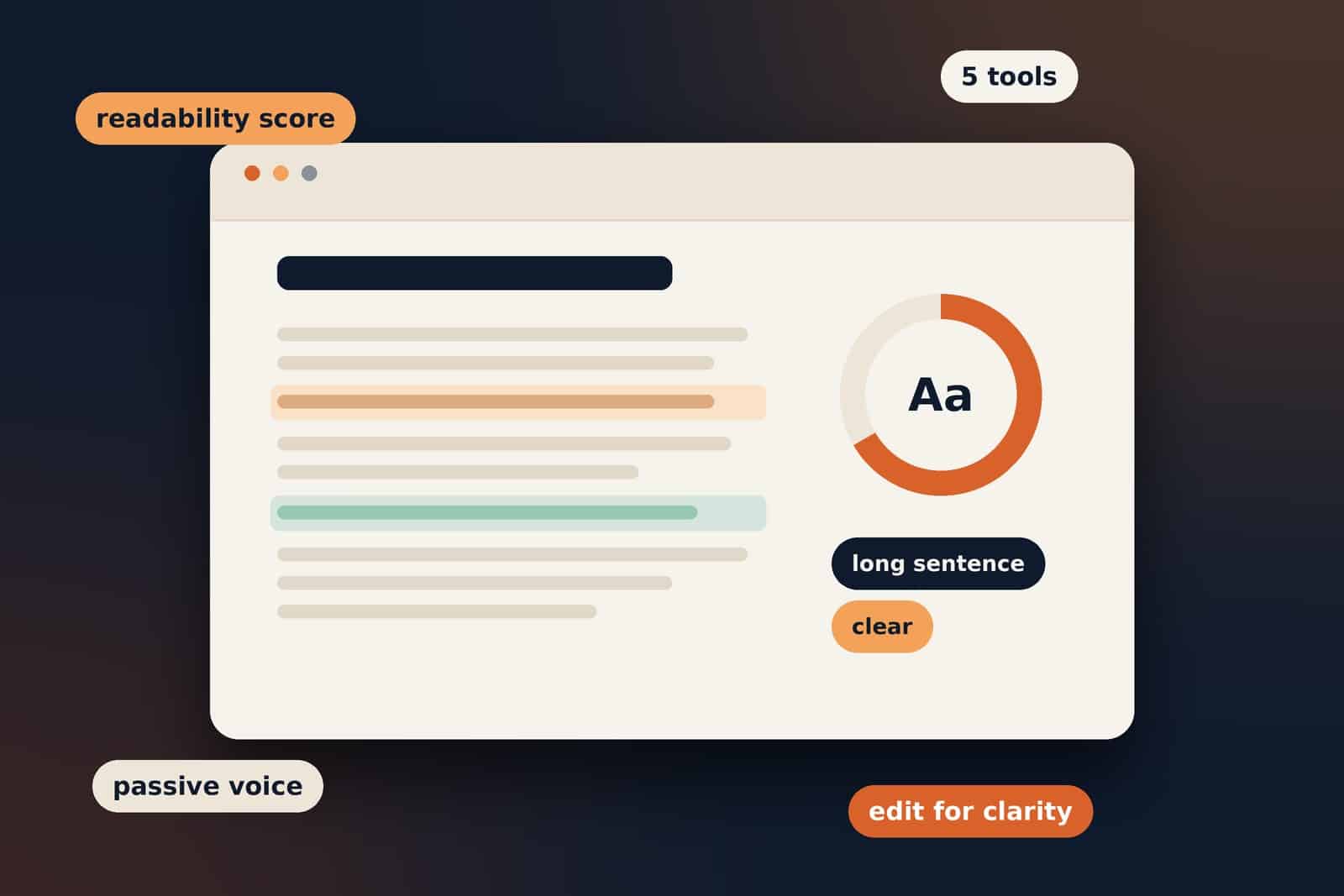
A blog readability checker analyses text and estimates how easy it may be for readers to understand. Depending on the tool, it may assess sentence length, word complexity, paragraph structure, passive voice and other writing patterns.

Some tools provide a readability score or grade level. Others highlight specific sentences that could be clearer, identify grammar issues or offer suggestions for simplifying wording.

Quick answer

The purpose is clarity, not simplification at any cost. Technical content may need specialist terms. The important thing is to explain those terms appropriately and make the overall article easy for its intended audience to follow.

Blog Readability Checkers Compared

The following tools approach readability in different ways. Choose one based on whether you need sentence-level editing, a score, WordPress feedback or broader grammar assistance.

ToolWhat it helps withBest suited toVisit
Hemingway EditorClarity editingHighlights sentences that may be hard to read, complex wording and passive constructions.Writers who want to spot dense sentences and make prose more direct.Hemingway Editor
Readability guide
ReadableReadability analysisOffers readability analysis and writing metrics, depending on the product and plan.Users who want a more detailed readability review.Readable
How it works
WebFX Readability TestQuick checkProvides a quick readability assessment for text you enter.Writers who want a simple, browser-based check.Try the tool
Yoast SEOWordPress workflowProvides readability feedback in the editing workflow, including sentence and paragraph checks.WordPress publishers who want feedback while preparing a post.Yoast readability analysis
GrammarlyWriting assistanceHelps review grammar, wording, tone and clarity. Available features depend on the plan.Writers who want readability-related suggestions alongside proofreading.Grammarly
How Grammarly works

Features and access can change over time, so check each provider's current website for the latest details. No single tool is the best choice for every writer or type of article.

How to Understand Readability Scores

Many readability checkers use formulas that consider features such as sentence length and the number of syllables in words. The result may be presented as a score, a grade level or a description such as easy or difficult.

These measures can help you notice patterns, but they do not directly measure whether your article is useful, accurate or engaging. A specialist article may naturally contain terminology that increases its estimated difficulty. Removing necessary terms just to improve a score can make the content less precise.

What a tool flagsWhat to checkPossible improvement
Long sentenceDoes it contain several separate ideas?Split it into shorter sentences where that improves the flow.
Complex wordIs the term necessary for the topic?Use a simpler alternative if accurate, or explain the term.
Dense paragraphDoes the paragraph cover too many points?Separate the ideas and add a descriptive heading if useful.
Passive voiceIs the sentence unclear about who does the action?Use active voice when it makes the meaning more direct.

There is no single readability score that suits every audience. Consider the reader's knowledge, the topic and the purpose of the content before making changes.

How to Check the Readability of a Blog Post

Use a readability checker as one part of a wider editing process. The following workflow keeps the focus on the reader rather than on achieving a particular score.

  1. Review the purpose.
    Confirm that the post answers the question promised by its title and introduction.
  2. Run a readability check.
    Paste the draft into a tool or review the feedback available in your editor.
  3. Inspect flagged passages.
    Look for long sentences, unclear wording, unnecessary jargon and dense paragraphs.
  4. Edit for meaning.
    Make changes only when they improve clarity, flow or understanding.
  5. Check the structure.
    Review headings, lists, paragraph order and whether readers can scan the article.
  6. Read it again.
    Read the revised version aloud or preview it on a phone before publishing.

For broader guidance on writing accessible digital content, the New Zealand Government's readability testing tools guide explains how readability checks can support content review.

Does Readability Affect SEO?

Readability is not a simple ranking score that guarantees better search positions. However, clear writing can make it easier for people to understand your content, navigate a page and find an answer. Those are worthwhile goals regardless of how a page performs in search.

Do not rewrite useful information solely to satisfy a readability metric. Instead, focus on answering the searcher's question, using descriptive headings, organising the article logically and avoiding unnecessary repetition.

Google's guidance on helpful, reliable, people-first content and its SEO Starter Guide are useful references for creating content that serves readers and can be understood by search engines.

Common Mistakes When Using Readability Tools

  • Chasing the highest score: A higher score does not automatically mean a better article.
  • Removing necessary detail: Keep technical terms and qualifications when they are needed for accuracy.
  • Following every suggestion: Automated tools can miss context, tone and intended meaning.
  • Ignoring structure: Readability involves headings, paragraph order, layout and navigation as well as sentence length.
  • Skipping a final human review: Read the finished post yourself and consider whether it answers the reader's question.

A useful editing principle

Do not ask only, “Can I make this sentence shorter?” Ask, “Will this change help the reader understand the point?”

Frequently Asked Questions

It depends on your needs. Hemingway Editor is useful for spotting potentially difficult sentences, Yoast offers readability feedback within a WordPress workflow, and other tools provide different types of analysis. Try the features that match your editing process.

Some tools offer free checks or limited free features, while others reserve certain functions for paid plans. Check the provider's current pricing and feature information before choosing.

There is no universal target. Consider your audience and subject, then use the score to identify passages that might need review rather than treating it as a strict requirement.

A checker can help you identify writing that may be difficult to follow, but using one does not guarantee higher rankings. Focus on clear, useful, well-organised content that meets the reader's needs.

No. Long sentences can be appropriate when the ideas are connected and the meaning remains clear. Split a sentence when doing so improves comprehension, not simply because a tool flags it.

Yes. Use it to find unclear explanations and dense passages, but retain necessary terminology and explain it when your audience may be unfamiliar with it.

Useful Readability Resources

These official resources can help you explore readability tools and wider content guidance:

Wrapping up

Make clarity the goal. A blog readability checker can help you spot possible problems, but the final decision should always consider the meaning, audience and purpose of your article. Use the tools to guide your editing, then review the finished post as a reader would.

Keep improving your blog writing

Read Blog Writing Rules: How to Write Clear, Useful and Engaging Blog Posts for more practical advice on planning, structuring and editing articles.

Tagged in

Written by

Keshera Wijeyesekera

I write Interesting to Read, a blog on all kinds of topics worth your time. Outside of the blog, I work in SEO and digital marketing.
More about me  ·  LinkedIn  ·  Get in touch

Blog Writing Rules: How to Write Clear, Useful and Engaging Blog Posts

Writing Better Blogs · Practical Guide

Blog Writing Rules: How to Write Clear, Useful and Engaging Blog Posts

A practical guide to planning, structuring and editing blog posts that answer readers' questions without making them work too hard to find the point.

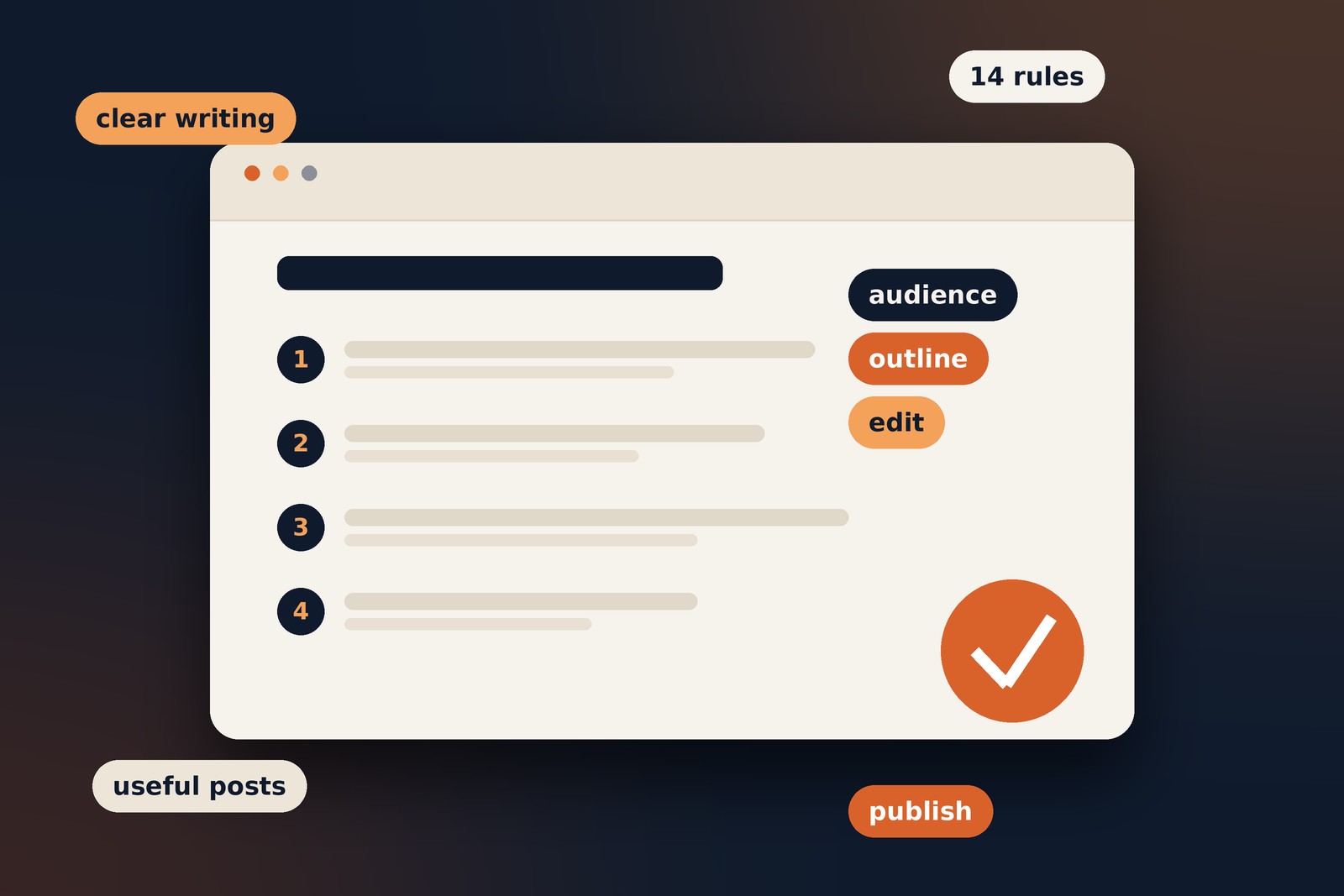
Practical guide  ·  14 writing rules  ·  Includes a publishing checklist

A useful reminder

Good writing is not about following a rigid formula. It is about helping the intended reader understand something clearly.

A good blog post does more than share information. It helps readers understand a topic, find answers and decide what to do next. Writing becomes harder when ideas are poorly organised, sentences are complicated or the article takes too long to reach the point. A few practical rules can make your posts clearer, more useful and easier to discover.

Think of these rules as a foundation, not a rigid formula. The right approach depends on your topic, your audience and what the article needs to achieve.

Understand Your Audience Before You Start Writing

Before drafting, consider who is likely to read the article and what they want to learn. A post for someone new to web development will need different explanations from one written for an experienced developer.

Ask yourself three questions:

  • Who is the intended reader?
  • What question or problem brought them to this topic?
  • What should they understand or be able to do after reading?

For example, a beginner searching for SEO keywords may need a definition and a simple example. An experienced SEO professional may be looking for a discussion of keyword clustering, search intent or keyword cannibalisation. Knowing the difference helps you choose the right level of detail.

Choose a Clear and Specific Topic

A focused article is easier to plan and more likely to satisfy a reader's particular need. Broad subjects can be useful starting points, but narrow the scope before writing.

Example

Too broad: Digital Marketing

More focused: How to Write a Digital Marketing Plan for a Small Business

Your headline should describe what the article actually delivers. Avoid promising a complete solution if the post only covers one part of the subject. A clear headline sets useful expectations before someone clicks.

Create an Outline Before Writing

An outline gives the article a logical path. It also helps you spot missing information and remove sections that do not contribute to the main purpose.

A simple outline might include:

  1. An introduction that establishes the topic and why it matters.
  2. Main sections that answer the reader's key questions.
  3. Examples, evidence or practical steps where they are useful.
  4. A conclusion that reinforces the main takeaway.

You do not need to plan every sentence in advance. Even a short list of headings can prevent repetition and make the drafting process easier.

Write a Useful Introduction

Readers should quickly understand what the post covers and why it is worth their time. Introduce the subject, explain the problem or benefit, and give them a reason to continue.

Avoid starting with lengthy background information unless that context is genuinely needed. If a reader has to work through several paragraphs before reaching the subject, they may leave before finding the answer.

Use Clear and Simple Language

Choose words that communicate the meaning accurately without making the sentence harder to understand than necessary. Simple writing does not mean removing important detail. It means explaining that detail clearly.

Before

“The implementation of appropriate content optimisation methodologies can facilitate improvements in organic search visibility.”

Clearer

“Using appropriate content optimisation techniques can improve your visibility in organic search results.”

Avoid vague or overly formal phrasing. If you use a technical term, explain it when your intended audience may not know what it means. Keep the tone appropriate to the subject rather than forcing every article to sound casual.

Keep Paragraphs Focused

Each paragraph should develop one main idea, or a small group of closely related ideas. Start with the point you want to make, explain it and add an example when that helps the reader.

There is no universal rule for how many sentences a paragraph should contain. Some ideas need more explanation than others. The goal is to avoid dense blocks of text that make it difficult to follow the argument.

For more practical advice, read Blog Readability: How to Make Content Easier to Read.

Use Headings That Describe the Content

Headings help readers scan an article and jump to the information they need. They also make the structure easier for search engines and assistive technologies to interpret when used properly.

  • Use one clear main title as the page's H1.
  • Use H2 headings for the main sections.
  • Use H3 headings for subsections within those sections.
  • Choose descriptive wording rather than vague labels such as “More Information”.

Include relevant terms naturally when they help describe the section. Do not force keywords into every heading. Google's SEO Starter Guide provides further guidance on making content understandable and useful.

Support Important Points with Examples

Examples turn abstract advice into something readers can apply. They are especially useful when explaining a technical process, comparing alternatives or describing a common mistake.

If you recommend writing a stronger introduction, show a weak opening and a revised version. If you explain a web development concept, use a realistic scenario to demonstrate how it works. Keep examples relevant and make sure they illustrate the point rather than distract from it.

Check Facts and Link to Reliable Sources

Before publishing, verify factual claims, figures, dates and technical details. When a point depends on an external source, link to material that directly supports it. Original research, official documentation and reputable publications are often good starting points.

When reviewing a source, check whether it is relevant to the claim, whether it is current enough for the topic and whether it provides evidence rather than merely repeating an assertion. Use descriptive link text so readers know what they will find.

Do not add external links just to make an article look authoritative. Each link should help the reader verify a point or explore the subject further. Google's SEO Starter Guide is an example of a primary resource for Google's own search guidance.

Write for Readers, Not Just Search Engines

Search optimisation can help people discover an article, but the article still needs to answer their question. Use the main topic naturally in the title, introduction and relevant headings where it makes sense.

Avoid repeating a keyword unnaturally, adding paragraphs that contribute little or stretching an article to reach an arbitrary word count. Instead, cover the subject thoroughly enough to be useful.

Google's guidance on helpful, reliable, people-first content is a useful reference. Ask whether the post would still be useful to someone who found it through a direct link or social media, not only through search.

Use Lists and Formatting Where They Help

Formatting can make information easier to scan, particularly when readers need to compare options or follow a process.

  • Use numbered lists when order matters, such as a sequence of steps.
  • Use bullet points for related items that do not have a required order.
  • Use bold text sparingly to draw attention to a key term or short point.
  • Use tables when readers need to compare information across consistent categories.

Do not format every sentence as a list or bold too much text. Formatting should clarify the content, not compete with it.

Make Your Blog Post Easy to Read on Mobile

Readers may open your article on a phone, tablet or desktop. Check that the layout works at different screen sizes, not just on the device you used to write it.

  • Use comfortable text size and enough line spacing.
  • Break up long sections with useful headings.
  • Make links and controls easy to tap.
  • Ensure images fit the screen and do not obscure text.
  • Avoid intrusive pop-ups that make the article difficult to use.

Preview the page on a real mobile device when possible. The W3C Web Accessibility Initiative offers guidance on making web content more accessible.

Edit the Article Before Publishing

Do not rely on the first draft. Review the article in separate passes so you can focus on different kinds of problems.

  1. Structure: Does the article answer the main question in a logical order? Remove sections that repeat earlier points.
  2. Writing: Look for unclear sentences, unnecessary words, awkward transitions and paragraphs that cover too much.
  3. Details: Check spelling, grammar, facts, links, headings, formatting and the page preview.

Tools such as Grammarly and Hemingway Editor can help identify possible issues, but treat their suggestions as prompts to review rather than rules you must always follow.

Give Readers a Useful Ending

A conclusion should reinforce the main lesson and leave the reader with a clear takeaway. Depending on the article, you might suggest a practical next step, point to a related guide or briefly summarise the key advice.

Avoid adding a conclusion simply to make the post longer. If the next step is to improve the readability of an existing article, you could direct readers to this guide to blog readability.

Blog Writing Checklist

Use this quick review before publishing. Tick each item as you check it.

Frequently Asked Questions

Understand your audience, choose a focused topic, organise the article, use clear language and descriptive headings, check facts and edit before publishing. Above all, make sure the post gives readers something useful.

There is no ideal length for every blog post. Write enough to cover the subject properly and answer the reader's question, but remove repetition and unnecessary detail. Google does not prescribe a preferred word count for ranking.

It depends on the subject and intended audience. A conversational tone can make many topics approachable, while technical or professional subjects may need a more formal style. Clarity and accuracy matter in either case.

Use relevant terms naturally where they help describe the topic. There is no universal keyword-density target that guarantees success. Repeating a phrase unnaturally can make content less useful to readers.

AI tools can assist with brainstorming, outlining and editing. Review the result carefully for accuracy, originality, relevance and your intended voice. The finished article should provide genuine value rather than simply add more content.

Relevant links can help readers verify facts, explore original research or find further information. Choose trustworthy sources, use descriptive link text and include links because they are useful, not merely for appearance.

Wrapping up

Write with the reader in mind. Good blog writing is not about following a rigid formula or using the same voice for every topic. Choose a focused subject, organise your ideas, explain them in language your audience understands and review the article before publishing.

Keep improving your content

Read Blog Readability: How to Make Content Easier to Read for more ways to make your articles easier to follow.

Tagged in

Written by

Keshera Wijeyesekera

I write Interesting to Read, a blog on all kinds of topics worth your time. Outside of the blog, I work in SEO and digital marketing.
More about me  ·  LinkedIn  ·  Get in touch

Blog Readability: How to Make Content Easier to Read

On-Page SEO · Writing

Blog Readability: How to Make Content Easier to Read

Make your articles easier to understand, scan and follow with practical tips for clearer writing, better structure and a more comfortable reading experience.

9 min read  ·  Practical writing guide  ·  Includes a checklist

Blog readability is about making content easy to understand, navigate and follow. A blog post can contain useful information and target the right keywords, but readers may still struggle if the writing is unclear, the paragraphs are dense or the ideas do not flow naturally.

Improving readability does not mean removing every technical term or making every sentence short. It means presenting information in a way that helps readers find what they need, understand the main points and move through the article without unnecessary effort.

This guide explains what blog readability means, how it relates to SEO, and how to make your content clearer and more useful.

What is blog readability?

Quick answer

Blog readability is how easily someone can read, understand and follow a piece of content. It depends on sentence structure, word choice, paragraph length, headings, formatting and the order of information.

However, readability is not just about using simple English. A blog post can use straightforward words and still be difficult to read if it repeats the same ideas, jumps between topics or hides the main answer deep within the article.

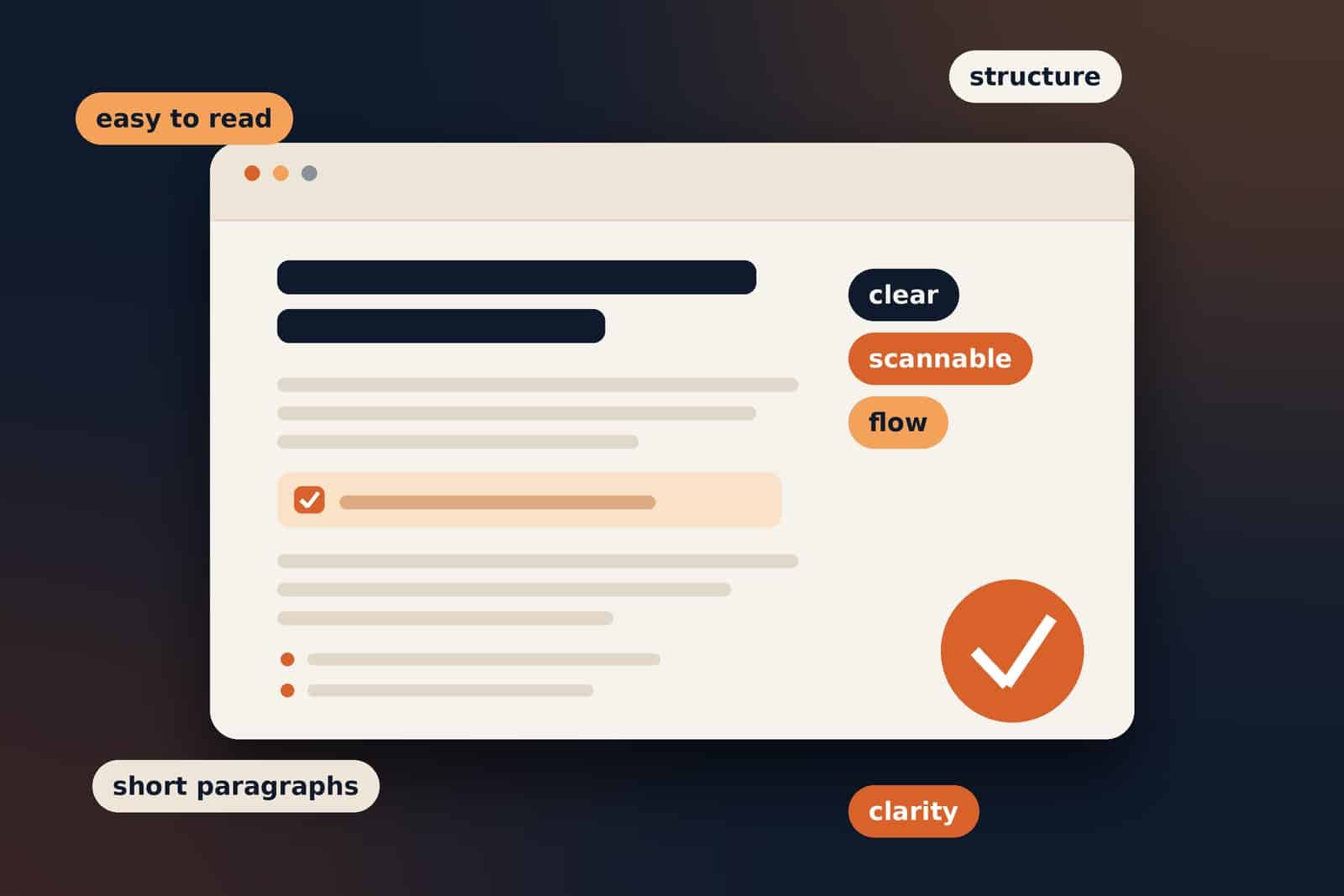
Good readability brings several elements together:

  • Clarity: readers can understand what each sentence means.
  • Structure: headings and sections organise information logically.
  • Scanability: readers can quickly find relevant points.
  • Flow: each paragraph connects naturally to the next.
  • Visual comfort: font size, spacing, contrast and layout make the text comfortable to read.
  • Relevance: the content addresses the reason someone opened the page.

The goal is to make useful information accessible without removing the detail readers need.

Why does blog readability matter for SEO?

Readability supports the overall quality of a website's content. When information is clearly presented, readers can more easily understand the page, find relevant answers and decide what to do next.

It improves the reading experience. Clear writing and a logical structure make it easier for visitors to use the content.

It helps readers find answers. Descriptive headings, short explanations and useful lists make important information easier to locate.

It supports search intent. A well-structured article can address the main question early and provide more detail for readers who want it.

It makes content more accessible. Clear language and readable formatting help people with different levels of knowledge engage with the topic.

Google's SEO Starter Guide recommends creating useful content that is well organised and easy to follow. Its guidance on helpful, reliable, people-first content also explains why content should be created primarily to help readers.

Keep in mind: readability is not, by itself, a confirmed direct Google ranking factor. There is also no universal paragraph length or readability score that guarantees better rankings. Its value lies in helping you produce content that serves readers, alongside other SEO fundamentals such as relevance, helpful information, technical accessibility and appropriate internal linking.

How do you structure a readable blog post?

A good structure allows readers to understand the topic before working through the details. It also helps them move directly to the sections most relevant to their needs.

Start with a clear introduction

Your introduction should establish the topic, explain why it matters and tell readers what they can expect to learn. Avoid lengthy openings that delay the answer. A good introduction:

  • introduces the topic;
  • identifies the problem or question;
  • explains what the article covers.

Use a logical heading hierarchy

Use one main H1 heading for the article title, H2 headings for major sections and H3 headings for related subtopics within those sections. Headings should describe the content that follows them.

Organise the sections in a natural order, moving from a definition to practical advice, examples, tools and frequently asked questions where appropriate. Avoid adding headings simply to make the article look structured.

Make every section answer a question

Treat each main section as an answer to a smaller question related to the overall topic. This keeps the article focused and helps readers navigate without having to read everything from beginning to end.

How long should blog paragraphs and sentences be?

There is no fixed sentence or paragraph length that works for every blog post. The aim is to keep each idea easy to follow while allowing enough room to explain it properly.

Keep paragraphs focused

A paragraph should generally develop one main idea. If it introduces several unrelated points, consider splitting it into smaller sections. Paragraphs of one to four lines can be a useful starting point, but line count depends on font size, content width and device.

Vary sentence length

Short sentences can make instructions and key points easier to understand. Longer sentences are useful when an idea needs more explanation. Using only short sentences can sound abrupt, while too many long sentences can be difficult to follow.

Remove unnecessary words

Look for phrases that add length without adding meaning.

Before

It is important to note that there are a number of different ways in which blog readability can be improved.

After

You can improve blog readability in several ways.

The second version communicates the same basic idea more directly.

How do you make blog content easier to scan?

Many readers scan a blog before deciding which sections deserve their attention. They may read the introduction, check the headings, look at a table and then jump to a specific answer.

Use descriptive headings

Write headings that communicate the point of each section. A reader should be able to scan the headings and understand the article's structure.

Use bullet points for related information

Bullets work well for lists of benefits, steps, requirements or examples. Do not turn every paragraph into a list. Connected explanations are often clearer in normal prose.

Highlight important information selectively

Bold text can draw attention to key terms, short definitions or important takeaways. Use it sparingly so that the highlighted text remains meaningful.

Use tables when comparing information

Tables can make comparisons easier. Keep them simple and check that they remain usable on mobile devices.

Apply the 30-second skim test

Give the article around 30 seconds and check whether you can identify:

  • the main topic and purpose;
  • the answer or key takeaway;
  • the main sections and how they relate;
  • important steps, comparisons or recommendations;
  • where to find the information you need next.

If the article's purpose is unclear or the main answer is difficult to locate, revise the introduction, headings and section order before polishing individual sentences. This is a practical editing exercise, not a formal readability test.

How do you improve blog readability on mobile?

A blog that looks comfortable on a desktop may be difficult to read on a phone. Smaller screens make long paragraphs, cramped spacing and oversized tables more noticeable.

Font size: body text should be large enough to read without zooming in.

Line spacing: text needs enough vertical space to avoid feeling crowded.

Content width: paragraphs should fit the screen without unnecessary horizontal scrolling.

Paragraph length: break up dense blocks where doing so improves clarity.

Headings: make sure headings wrap naturally and remain distinct from body text.

Images and tables: check that visual elements fit the screen and support the content.

Whitespace helps readers distinguish one section from another. The W3C's guidance on text spacing explains why people should be able to adjust text spacing without losing content or functionality.

If you use WordPress, preview the article on a phone or use your browser's responsive preview before publishing.

How do you make complex topics easier to understand?

Technical subjects often require specialist terminology, detailed explanations or several steps of reasoning. Removing that detail simply to make the writing shorter can leave readers with an incomplete understanding.

Explain unfamiliar terms

If readers are likely to encounter a term for the first time, explain it when it first appears. For example, a blog about SEO might explain that a canonical URL indicates the preferred version of a page when duplicate or similar URLs exist.

Break processes into steps

If an explanation involves several actions, present them in the order readers need to follow. Numbered lists work well for instructions, while tables can help compare alternatives.

Use examples that match the explanation

Examples connect abstract ideas to situations readers can recognise. For instance, show how a blog post about keyword research could link to a related guide about search intent to demonstrate internal linking.

Does simple writing mean oversimplifying a topic?

No. Simple writing means making an explanation easier to follow, not removing important details or making the subject less accurate.

A technical article can retain its specialist terminology, qualifications and exceptions while explaining them clearly. A beginner's guide may need more background and examples, while an article for experienced professionals can move more quickly into advanced details.

How do you improve the flow of a blog post?

Even when individual paragraphs are clear, an article can still feel difficult to read if the ideas do not connect. Good flow helps readers follow the reasoning from one point to the next.

Put information in the right order

Introduce the information readers need before asking them to understand more complicated points. Define a concept before discussing its advantages or limitations.

Connect related paragraphs

Use transitions such as “however”, “for example” and “as a result” when they clarify a contrast, illustration or consequence. Do not add transition phrases mechanically.

Check the opening and closing of each section

The first sentence should help readers understand what the section covers. The final sentence should complete the explanation or lead naturally into the next point when necessary. Not every section needs a concluding sentence.

Read the article aloud

Reading your article aloud can help you spot awkward phrasing, repetitive sentence patterns and transitions that do not sound natural. If you stumble over a sentence or have to read it twice, revise it.

How do you avoid writing that sounds robotic?

An article can be grammatically correct and neatly formatted but still feel repetitive, generic or unnecessarily formal.

Avoid repetitive introductions. Not every section needs to begin with “It is important to understand” or “When it comes to”.

Use specific language. Replace vague statements with practical explanations. Explain what a technique helps readers do instead of saying it “offers many benefits”.

Remove unnecessary signposting. Repeating phrases such as “In this article, we will explore” adds little value.

Vary sentence structure. A natural article contains a mixture of short statements, explanations and more detailed sentences.

Avoid repeating the same conclusion. If the introduction, every section and the final paragraph all make the same point, edit the article.

Keep the intended reader in mind. Choose a style that suits the subject and audience instead of forcing every article into the same tone.

Natural writing means choosing words and sentence structures that communicate information clearly and appropriately.

Does readability affect search rankings directly?

Readability is useful for producing content that people can understand and navigate, but it is important to distinguish this benefit from direct ranking factors.

Google does not publish a universal readability score that pages must achieve to rank. There is no established rule that every paragraph must contain a certain number of sentences.

Do not assume a page will rank higher simply because it uses shorter sentences, receives a particular score from a readability tool or keeps visitors on the page for longer.

Instead, make sure the article answers the searcher's question, covers the subject appropriately, uses accurate information and offers a good page experience. See Google's advice on creating helpful, reliable, people-first content.

What tools can help you check blog readability?

Readability tools can identify writing that may need attention. Their scores should be treated as guidance rather than a final judgement on article quality.

A tool may flag a long sentence even when it is necessary for accuracy, or recommend changes that do not suit your audience. Use the tools to find potential problems, then review the suggestions yourself.

Blog readability checker

Use this checklist when reviewing a blog post before publishing. It covers the main elements that influence how easily readers can understand and navigate your content. Click an item to tick it.

How to use the checklist: review the article from the reader's perspective. Mark each item only when it meets the standard, and revise anything that makes the content harder to understand or navigate.

A completed checklist does not guarantee that every reader will find the article easy to read. It provides a consistent way to catch common issues before publication.

How do you edit a blog for better readability?

Edit the article in three passes. Each pass has a different purpose, making it easier to identify structural problems before polishing individual sentences.

Pass 1: Improve structure and flow

  • Check whether the introduction answers the reader's immediate question.
  • Review the order of the main sections.
  • Make sure each heading introduces relevant information.
  • Move paragraphs that are in the wrong place.
  • Remove sections that do not contribute to the article's purpose.
  • Use the 30-second skim test to review the structure.

Pass 2: Improve clarity and sentence structure

  • Replace unnecessarily complicated wording.
  • Explain specialist terms when needed.
  • Split sentences that contain too many ideas.
  • Use active voice when it makes the subject and action clearer.
  • Vary sentence length.
  • Add examples where they help explain a difficult concept.

Active voice is often more direct. “The editor reviewed the article” is more straightforward than “The article was reviewed by the editor”. Passive voice is still appropriate when the person performing an action is unknown, irrelevant or less important than the action itself.

Pass 3: Remove repetition and unnecessary wording

  • Delete repeated explanations.
  • Remove filler phrases and generic statements.
  • Shorten wordy sentences.
  • Check whether the introduction and conclusion repeat too much.
  • Remove formatting that does not help readers.
  • Proofread spelling, grammar, links and headings.

Once the edits are complete, read the article again, preferably on the device most of your audience is likely to use.

Frequently asked questions about blog readability

There is no single score that works for every blog. The appropriate level depends on the topic, audience and purpose. Use scores to identify potentially difficult passages, then review them in context.

There is no universal paragraph length that guarantees better rankings. Shorter paragraphs can improve scanability, especially on mobile, but the main goal is to present each idea clearly.

No. Short sentences can make important points easier to understand, but longer sentences are sometimes necessary to explain complex ideas. A natural mix is usually more effective.

Yes. Technical content can remain accurate and detailed while using clear explanations, descriptive headings, relevant examples and a logical structure.

They can identify patterns such as long sentences or potentially difficult wording, but they cannot fully judge meaning, accuracy, context or usefulness. Treat their recommendations as suggestions.

They serve different purposes. Keywords help you understand what people search for, while readability helps present information clearly. Both should support content that answers the reader's question.

Review readability whenever you write or substantially update an article. A final check before publishing can catch problems with structure, wording, formatting and mobile display.

Wrapping up

Make every section easier to read

Improving blog readability starts with understanding what readers need and presenting that information clearly. A logical structure, focused paragraphs, descriptive headings and natural writing can make a noticeable difference to the reading experience.

You do not need to simplify every idea or follow rigid rules about sentence length. Focus on removing unnecessary effort for the reader while keeping the content accurate and useful.

Before publishing your next article, use the blog readability checker to review its structure, clarity, flow and presentation. A few careful edits can make your content easier to navigate and help readers get more value from the information you provide.

Tagged in

Written by

Keshera Wijeyesekera

I write Interesting to Read, a blog on all kinds of topics worth your time. Outside of the blog, I work in SEO and digital marketing.

More about me  ·  LinkedIn  ·  Get in touch

What Are SEO Keywords?

SEO Basics · Practical Guide

What Are SEO Keywords?

A straightforward guide to finding the words people search for, understanding what they want, and using those terms naturally on your website.

A practical guide  ·  10–12 min read

Most people search in plain words, not technical terms. Those words are your SEO keywords.

If you know which phrases your audience types, you can write pages that answer them. This guide shows you how, one step at a time.

What are SEO keywords?

Quick answer

SEO keywords are the words and phrases people type into search engines. You use them to understand what people want, then write pages that answer it.

A keyword can be one word, like “accounting”. It can also be a longer phrase, like “how to learn accounting online”.

Longer phrases often show more clearly what the person wants.

Example search

best accounting software for a small business

This person is comparing options. They don't want a definition of accounting software.

Why do keywords matter for SEO?

Keyword research shows how people talk about a topic. That helps you decide what to write.

It helps you to:

  • Know your audience: see how people describe their problems.
  • Plan useful content: find the questions worth answering.
  • Stay relevant: make each page clear to readers and search engines.
  • Spot gaps: find topics your site doesn't cover well yet.

Keep in mind: using a keyword doesn't guarantee a ranking. The page still has to be useful and easy to use.

What are the main types of SEO keywords?

Keywords can be grouped in a few simple ways. The groups below help with planning. They aren't strict rules.

TypeExampleWhat it tells you
Short-tailweb designA broad topic with many meanings
Long-tailweb design for a small restaurantA specific need or audience
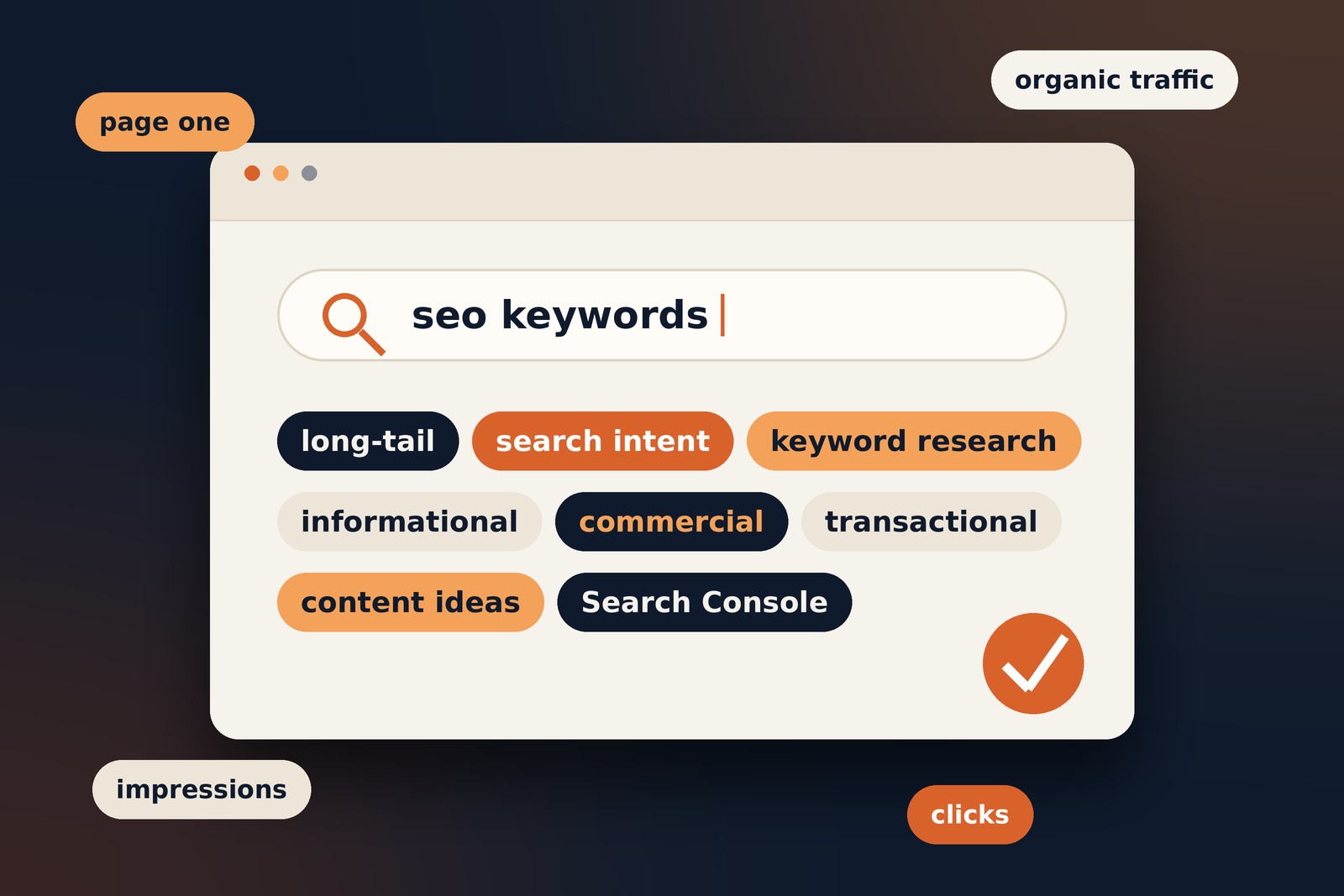
Informationalhow does SEO workThe person wants to learn
Commercialbest SEO tools for freelancersThe person is comparing options
Transactionalhire an SEO consultantThe person may be ready to act
BrandedAhrefs keyword toolThe search names a brand or product

One keyword can fit more than one group. A long-tail keyword can also be informational.

What is search intent?

Search intent is the reason behind a search. Matching it matters more than repeating a phrase.

There are four common types:

  • Informational: the person wants to learn something.
  • Navigational: the person wants a specific website or page.
  • Commercial: the person is comparing choices.
  • Transactional: the person wants to buy, book or sign up.

For example: someone searching “how to start a blog” wants a guide. Someone searching “blog hosting plans” wants to compare options.

To check intent, search the phrase yourself. Look at what kind of pages appear. Use that as research, not as a formula to copy.

How do you do keyword research?

Start with your audience, not a list of big numbers. Follow these six steps:

  1. Start with your topics.
    List the services, products and questions your audience cares about.
  2. Collect real search phrases.
    Use autocomplete, related searches, customer questions and keyword tools.
  3. Check intent.
    Ask what the searcher expects to find. Can your page provide it?
  4. Compare demand and competition.
    Search volume helps. Relevance and difficulty matter too.
  5. Match keywords to pages.
    Give each page one clear purpose. Group close phrases on one page when it can answer them all.
  6. Publish and improve.
    Start with realistic topics. Write helpful pages, then improve them as you learn.

Tip: don't choose a keyword just because it has a big search volume. A smaller, more relevant search can be worth more.

Which tools can help with keyword research?

You don't need every SEO platform. Start with one or two tools and add more only when you need them.

Every tool uses its own data. Treat the numbers as a guide, not an exact count.

How do you use keywords on a page?

Use your main phrase where it helps the reader. Then write naturally. There is no perfect keyword density.

Check these places:

  • Title tag: describe the page clearly.
  • Main heading: say what the page is about.
  • Opening paragraphs: give the answer early.
  • Subheadings: cover the related questions.
  • URL: keep it short and readable.
  • Image alt text: describe useful images. Don't stuff in keywords.
  • Internal links: use link text that makes sense on its own.

For more, read Google's SEO Starter Guide.

What keyword mistakes should you avoid?

Keyword stuffing

Repeating a phrase again and again makes writing hard to read. It can also break Google's spam policies. Write for people first.

Choosing a phrase that doesn't fit

A keyword can have big numbers and still be wrong for your audience. Relevance comes first.

Creating competing pages

Two pages with the same purpose can compete with each other. Combine them if one page can do the job better.

Forgetting the reader

Keywords help you plan. They don't replace clear answers and real experience.

How do you track keyword performance?

Rankings are only part of the picture. Open Google Search Console and look at:

  • Impressions: how often your page appeared.
  • Clicks: how often people visited.
  • Click-through rate: clicks divided by impressions.
  • Average position: where your page tends to appear.

Then check what visitors do next. Do they read another page, send an enquiry or buy something? The right measure depends on what the page is for.

Yes, in a different way. Understanding the words and questions your audience uses is still useful.

Focus on clear, accurate pages that answer real questions. Don't fill pages with variations of one phrase. Google's guide to AI features and your website is a good place to start.

Frequently asked questions

There is no fixed number. Give the page one clear primary topic and include related phrases when they help answer the reader's questions.

Not automatically. They are often more specific, which can make intent easier to understand, but the best choice depends on relevance and your goals.

Keyword density is the proportion of a page's words made up by a particular phrase. It is not a target you need to hit. Prioritise natural, useful writing.

LSI stands for Latent Semantic Indexing, an information-retrieval concept. “LSI keywords” is commonly used in SEO marketing, but it is not a special list of terms you must add to rank. Cover related concepts naturally when they help readers.

Yes, but each page should have a clear purpose. If two pages answer the same need in nearly the same way, review whether both are necessary.

Review it when you publish new content, when performance changes, when your offer changes, or when audience needs shift. There is no universal schedule.

Quick keyword checklist

Check these before you publish:

Where to start

Pick one topic your audience cares about. Find out how people search for it. Then write one clear page that answers them.

Tagged in

Written by

Keshera Wijeyesekera

I write Interesting to Read, a blog on all kinds of topics worth your time. Outside of the blog, I work in SEO and digital marketing.

More about me  ·  LinkedIn  ·  Get in touch

Share with